How to Download Facebook Videos on Android and iPhone
Published Updated By SaveFlow Editorial
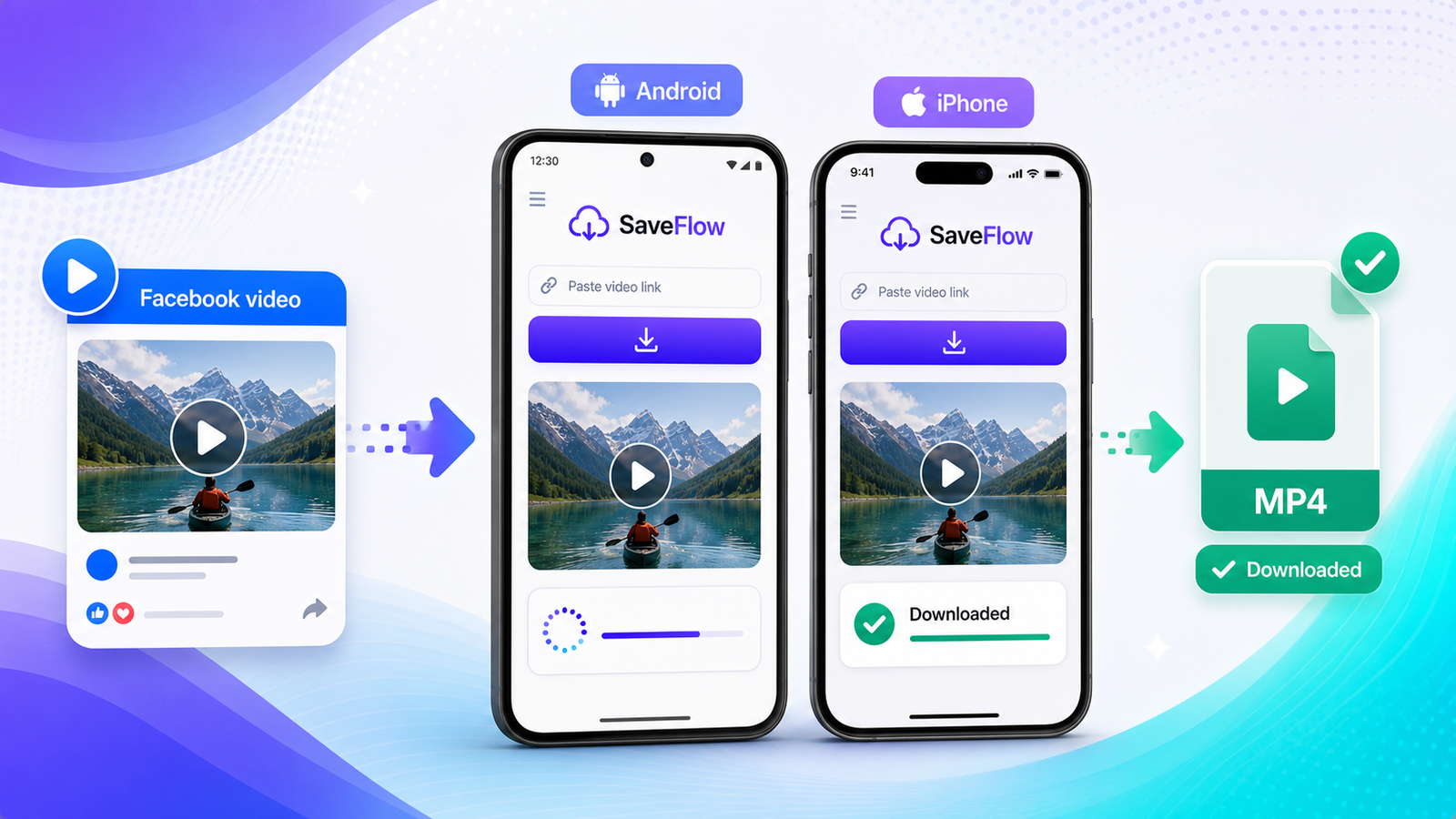
Facebook doesn't give you a download button for videos. You can save them within the app for later viewing, but that just bookmarks them. The video stays on Facebook's servers and disappears if the poster deletes it. If you want to actually download a Facebook video on your phone so it lives in your gallery or Camera Roll, you need a workaround.
How to Copy a Facebook Video Link
This is the step most people get wrong. The link needs to be the direct link to the video post, not just any URL from Facebook. The method for getting it depends on your device.
From the Facebook App on Android
Find the video in your feed or on someone's profile. Tap the three dots (menu) in the top right of the post. Tap "Copy link." That's it. The link is now in your clipboard.
From the Facebook App on iPhone
Same process. Find the video post, tap the three dots, and tap "Copy link." Facebook uses slightly different menu layouts between iOS and Android versions, but the option is always there.
From a Mobile Browser
If you use Facebook in your phone's browser instead of the app, tap on the video post to open it, then copy the URL from your browser's address bar. The URL should contain "facebook.com" and reference the specific post.
From Desktop
Right-click on the video or click the three dots on the post, then click "Copy link." Or you can just copy the URL from your browser's address bar while the video post is open.
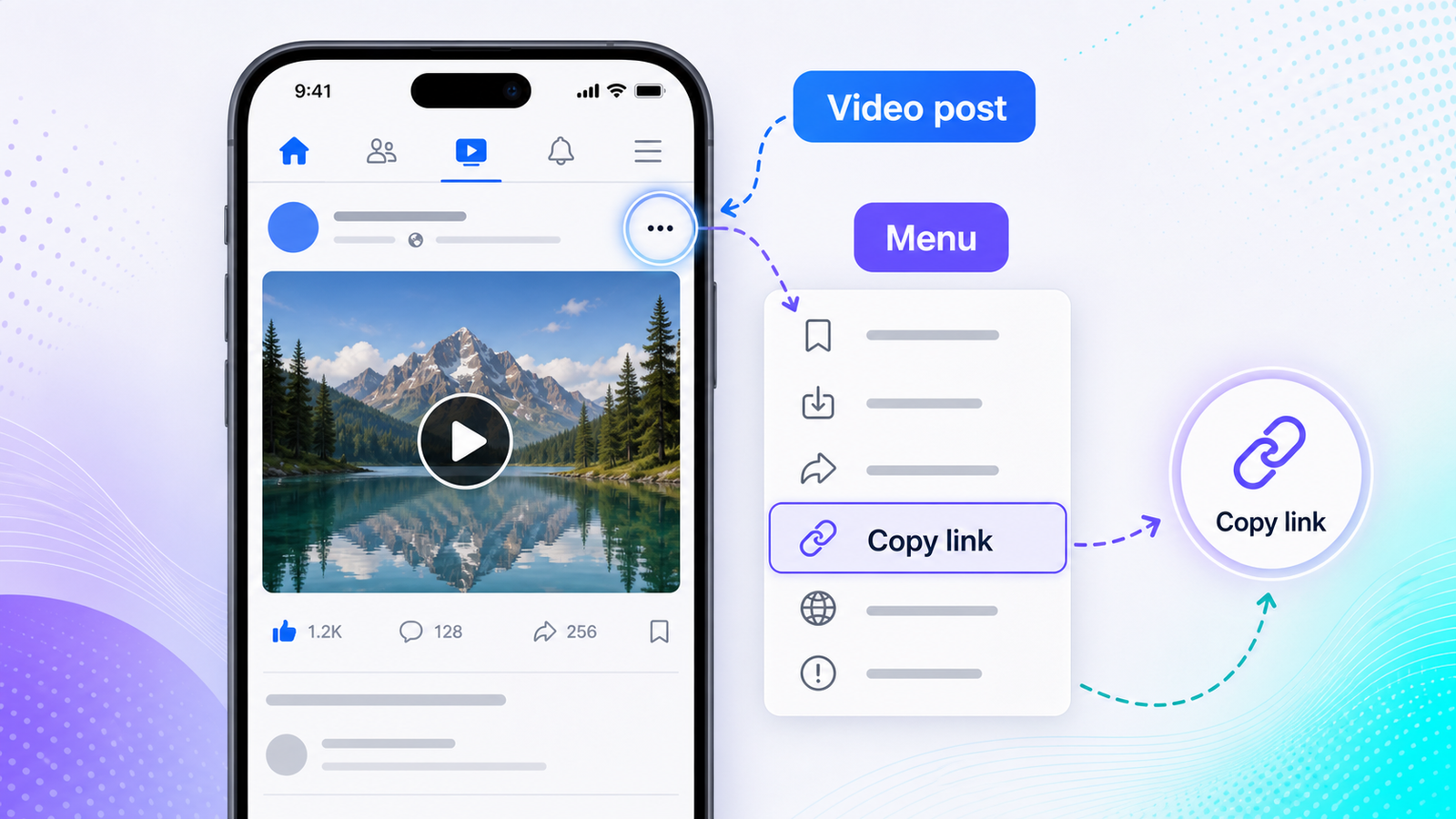
How to copy Facebook video link on mobile app for download
Step-by-Step: Download With SaveFlow
1. Copy the Facebook video link using one of the methods above.
2. Open your browser and go to saveflow.net.
3. Paste the link into the URL field.
4. Wait for SaveFlow to process the link. This usually takes a few seconds.
5. Choose your quality. Facebook videos are typically available in SD (360p-480p) and HD (720p-1080p).
6. Tap the download button for your chosen quality.
7. On Android, the file saves to your Downloads folder and appears in your gallery. On iPhone, find the file in the Files app and save it to your Camera Roll.
Public vs. Private Videos
Facebook has multiple privacy levels: public, friends only, friends of friends, and custom. Only public videos can be downloaded with a third-party tool. If the video is set to "friends only" and you can see it because you're friends with the poster, a downloader still can't access it. The downloader doesn't have your Facebook login, so it sees the same thing a logged-out visitor would see: nothing.
If you try to download a private video and get an error, this is almost always why. There's no workaround that doesn't involve security risks.
Different Types of Facebook Video Content
Facebook Reels
Facebook Reels work the same way as regular video posts for downloading purposes. Copy the link, paste it in SaveFlow. The quality options might be slightly different since Reels tend to be vertical and optimized for mobile viewing.
Videos in Groups
Group videos are tricky. If the group is public, the download should work. If the group is private (which most are), the video is only accessible to group members, and a downloader can't reach it.
Videos on Pages
Business pages and public figure pages usually have public content. These videos are generally the easiest to download. Copy the link from the video post on the page and use it with SaveFlow.
Facebook Stories
Stories are temporary (they disappear after 24 hours) and require authentication to view. Most downloaders don't support Facebook Stories. If you want to save a Story, your best option is using Facebook's built-in screenshot or screen recording features on your phone.
Quality Options
Facebook compresses uploaded videos, sometimes pretty heavily. Even if someone uploaded a 4K video, Facebook might only serve it at 1080p or 720p. The quality options SaveFlow gives you reflect what Facebook actually has available, not what was originally uploaded.
For most Facebook videos, you'll see SD (around 360p-480p) and HD (720p or 1080p). SD is fine for casual viewing on a phone. HD is better if you're going to watch it on a larger screen or if you want to keep a higher quality archive.
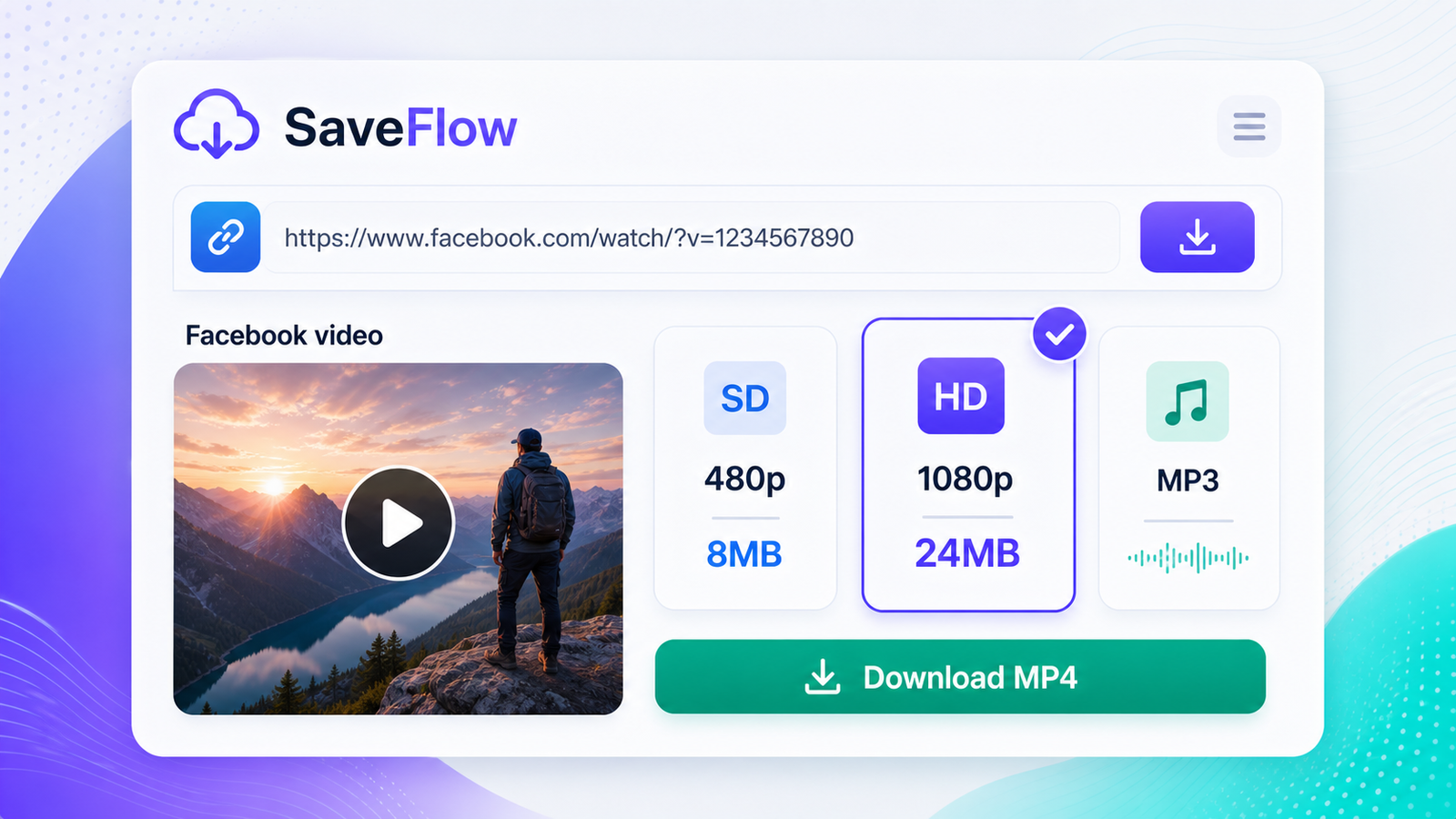
Facebook video download quality options SD vs HD on SaveFlow
Troubleshooting
Link not recognized
Make sure you copied the link to the post containing the video, not a link to the Facebook Watch page or a search results page. The URL should have a post ID in it. If you copied a share link from a message or a "Watch" link, try going to the original post on the poster's profile and copying the link from there.
Video not available
Either the video was deleted, the privacy settings changed, or the poster's account was deactivated. If you can still see the video in your Facebook app, try copying a fresh link. Sometimes Facebook generates different link formats that expire or redirect.
Download starts but file is corrupted
Try again on a stable connection. Interrupted downloads can produce partially complete files that won't play. If you're on mobile data, switch to Wi-Fi and try again. The file should be an MP4 that plays in any standard video player.
Saving to Camera Roll on iPhone
After the download finishes in Safari, tap the download icon in the address bar. Tap the downloaded file to preview it. Tap the share button (square with arrow), then tap "Save Video." The video moves to your Photos app. If you don't see "Save Video," you can also open the Files app, navigate to Downloads, long-press the video, and select "Save Video."
Saving to Gallery on Android
Android usually handles this automatically. Downloaded videos appear in your gallery app within a few seconds. If they don't, open your file manager, go to the Downloads folder, and the video should be there. Some Android skins (Samsung, Xiaomi) have their own gallery apps that might take a moment to index new files.
FAQ
Can I download Facebook Live videos after they've ended?
If the person who went Live saved the video to their timeline (which Facebook does by default), then yes. It becomes a regular video post and you can download it the same way. If they deleted the replay, it's gone.
Why does the download give me SD quality only?
Some videos were uploaded in lower quality, or Facebook's compression reduced them to SD. If the HD option isn't available in SaveFlow, it means Facebook doesn't have a higher quality version to offer.
Can I download videos from Facebook Marketplace listings?
Sometimes. If the Marketplace listing has a video and it's publicly viewable, you can copy the listing link and try it. Results vary depending on how Facebook structures Marketplace video embeds.
Is downloading Facebook videos against Facebook's terms of service?
Technically, yes. Facebook's terms restrict downloading content through unauthorized means. In practice, downloading public videos for personal use is extremely common and enforcement against individual users is essentially nonexistent. Reposting content as your own is a different issue and falls under copyright.
Does SaveFlow work for Facebook Watch videos?
It depends on the video. Facebook Watch includes original shows and professional content that may have additional protection. User-uploaded videos on Watch work the same as regular posts. Try the link and see what happens.