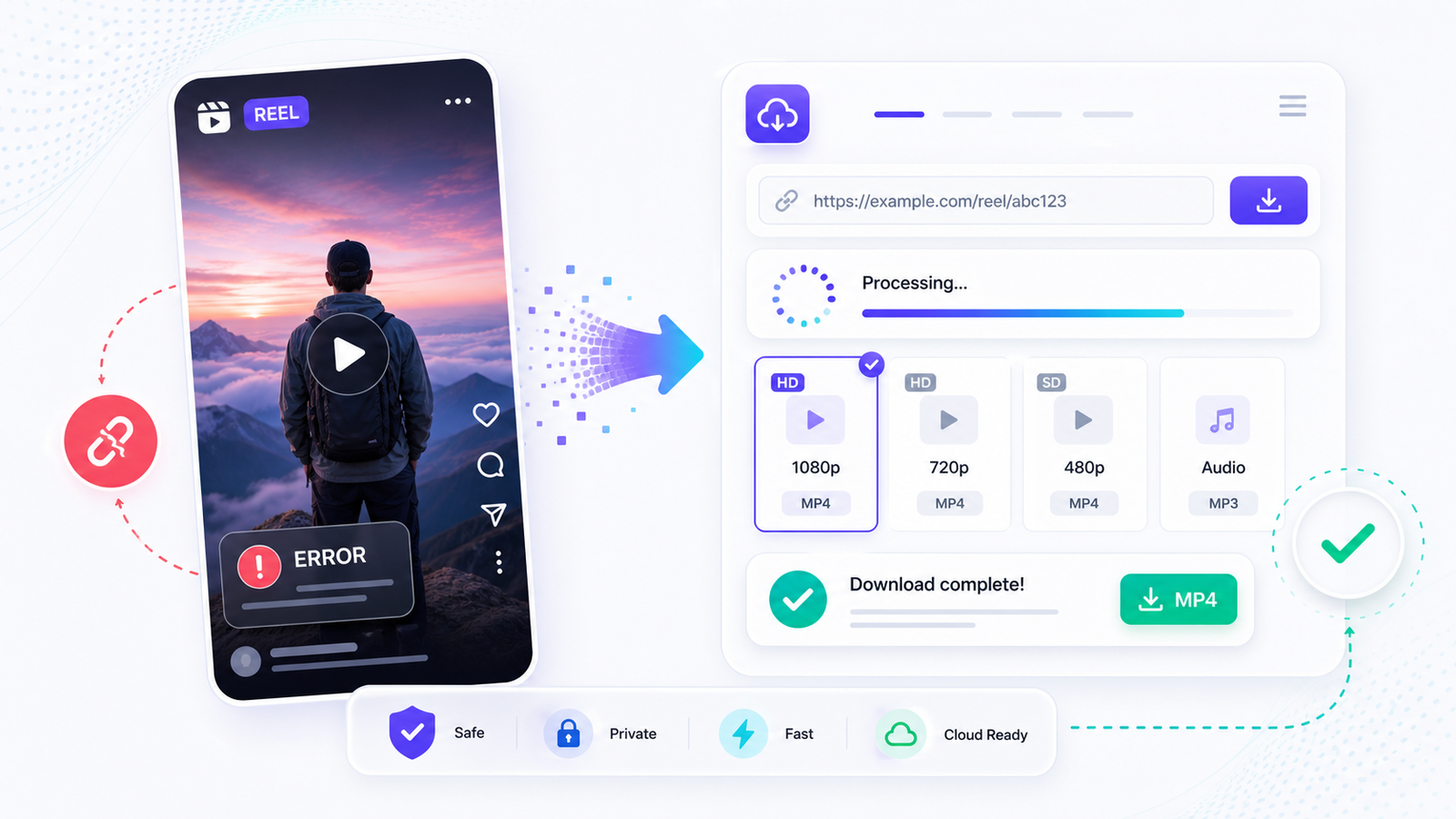
You found a Reel you want to save, you copied the link, you pasted it into a downloader, and you got an error. Or nothing happened at all. This is one of the most common complaints about downloading Instagram content, and there are a few different things that can go wrong. Most of them are fixable.
This guide covers why your Instagram reel download is not working, what each type of error actually means, and how to get around each one.
Why Instagram Blocks Third-Party Downloads
Instagram doesn't want you downloading Reels. That's by design. The platform makes money when people watch content inside the app, not when they save it to their phones and watch it offline or repost it elsewhere. So Instagram actively makes it difficult for third-party tools to grab video files from their servers.
They do this in a few ways: rate limiting requests from known downloader IPs, requiring authentication tokens that expire quickly, and changing their internal API structure periodically. This is why a downloader that worked fine last week might suddenly break. It's a cat-and-mouse game between Instagram's engineers and the people building download tools.
The Most Common Errors and What They Mean
"Content not available" or "Post not found"
This usually means one of three things. The Reel was deleted after you copied the link. The account that posted it is private, and you're trying to download it without being logged in. Or the link you copied is malformed somehow.
Check: Open the link in a regular browser tab. If you can see the Reel when you're logged into Instagram, but the downloader says it can't find it, the issue is almost certainly a private account restriction.
"Unable to process" or generic failure messages
This one is usually on the downloader's end. Instagram probably changed something in their API or started blocking the server the downloader uses. If you see this, try again in a few hours. If the tool is well maintained, they'll fix the issue within a day or so.
The download starts but the file is empty or corrupted
This happens when the connection to Instagram's CDN (where the actual video file is hosted) gets interrupted. It can also happen when the downloader grabs a URL that expires before the download completes. Instagram uses temporary URLs for media files, and they expire after a short window.
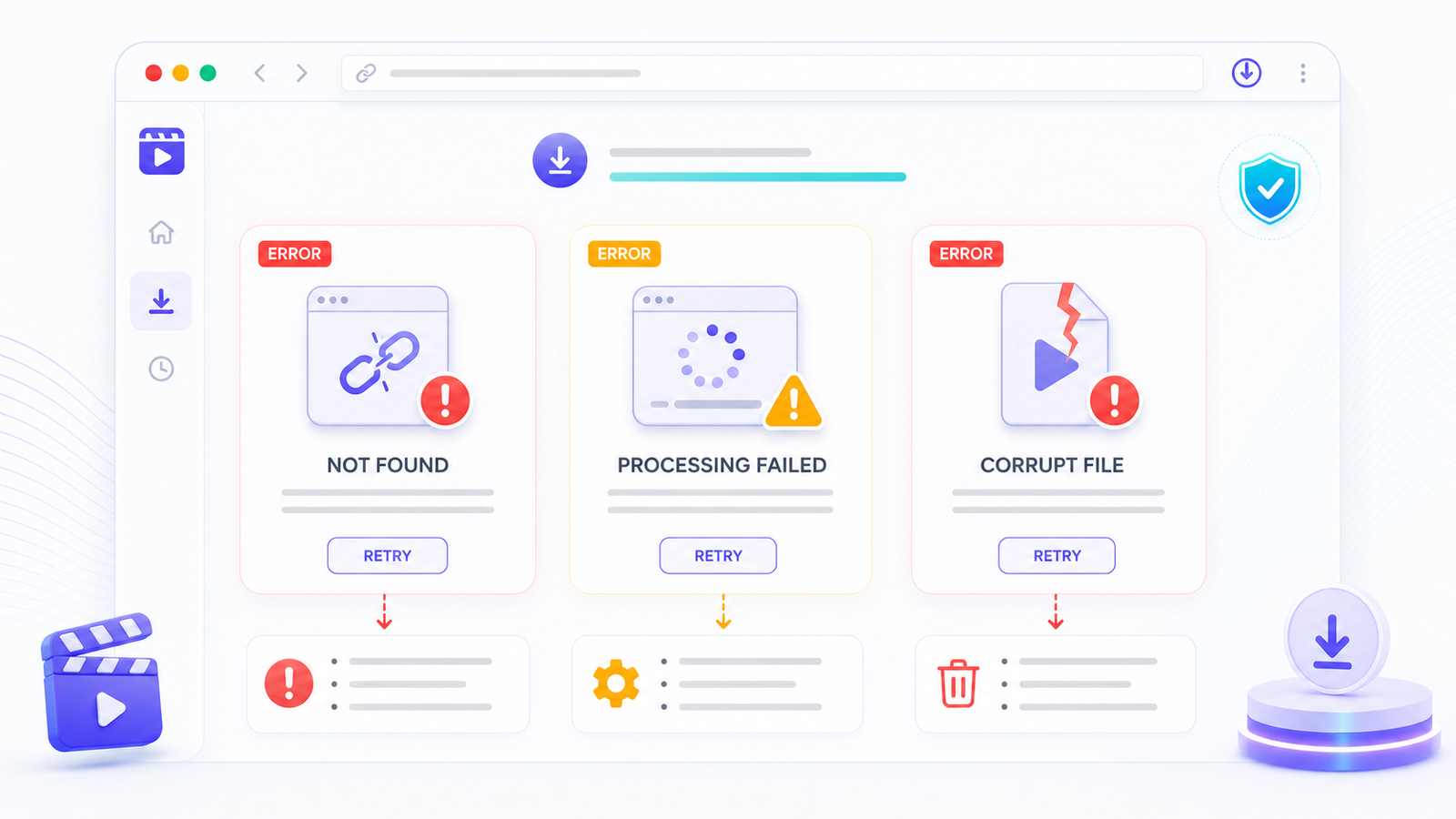
Instagram reel download error messages explained with fix annotations
Private vs. Public Accounts
This is the biggest source of download failures. If an account is set to private, their content is only accessible to approved followers. No third-party downloader can access private content without logging in as an approved follower, and most reputable tools don't ask for your Instagram login because that creates security risks.
How to tell if an account is private: If you can see the Reel in your Instagram app (because you follow them) but opening the link in an incognito browser window shows a login screen, the account is private. Downloaders see the same thing as that incognito window.
There's no reliable workaround for private accounts. If you follow a private account and want to save one of their Reels, your best option is Instagram's built-in save feature (the bookmark icon), which saves it within the app, not to your device.
Is It a Reel or a Carousel?
This catches people off guard. Instagram has carousel posts (multiple photos or videos you swipe through) that can look like Reels at first glance, especially if the first slide is a video. If you're trying to download what you think is a Reel but it's actually a carousel, some downloaders won't handle it the same way.
You can tell the difference by checking the URL. Reel URLs contain "/reel/" in the path. Regular post URLs contain "/p/". If you see "/p/" in the link, it's a standard post or carousel, and you may need to use a different download approach or select individual slides.
Reels With Music and Copyright Blocks
Some Reels use copyrighted music that Instagram licenses for in-app use only. When you try to download these, some downloaders will either fail or give you a video with no audio. This isn't a bug in the downloader. Instagram strips or restricts the audio based on licensing agreements.
If you get a video with no sound, the music track is likely restricted. The original audio from the creator (their voice, ambient sound) should still be there. The background music track is what gets removed.
Does Logging In Help?
Some downloaders ask you to log in with your Instagram account. Be careful with this. Giving your login credentials to a third-party tool is a security risk. Instagram can flag your account for using unauthorized tools, and the downloader could potentially access more of your account than you intend.
For public Reels, logging in shouldn't be necessary. A good downloader works without your credentials. For private content, as mentioned above, there's no safe way to download through a third party.
How SaveFlow Handles Instagram Downloads
SaveFlow uses a server-side approach to fetch Instagram content. When you paste a Reel link, the request goes through a backend that processes the Instagram page and extracts the direct video URL. This approach tends to be more reliable than client-side scrapers because it can handle Instagram's authentication requirements without needing your login.
That said, no tool is immune to Instagram's changes. If SaveFlow can't process a link, it's usually because Instagram rolled out a new restriction. The fix typically comes within hours.
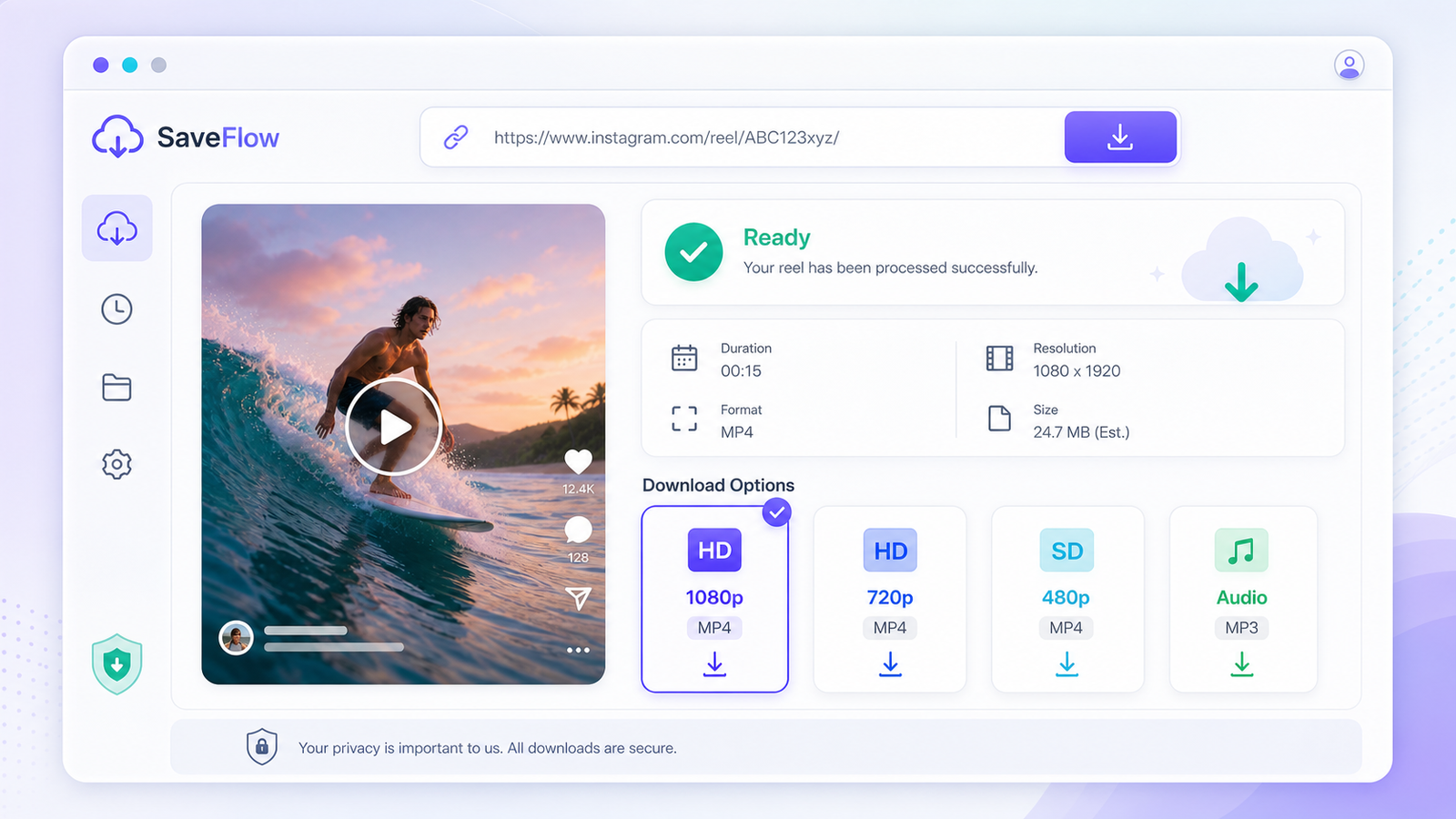
SaveFlow Instagram Reel downloader showing download options for a processed Reel
Step-by-Step Fix for Most Download Failures
If your Instagram reel download is not working, run through this list in order:
1. Verify the Reel still exists. Open the link in a browser or in the Instagram app. If the post was deleted, there's nothing to download.
2. Check if the account is public. Open the link in an incognito or private browser window. If you see a login wall, the account is private and most downloaders won't be able to access it.
3. Make sure the link is correct. The URL should contain "/reel/" for Reels. If it has "/p/" it's a regular post. Copy the link fresh from the Instagram app using the Share button, then "Copy link."
4. Try a different downloader. If one tool fails, try another. Tools break at different times because they use different methods to access Instagram's content. SaveFlow at saveflow.net is a good option if your current tool is down.
5. Wait and try again. If multiple tools are failing on the same Reel, Instagram may have pushed an update. Give it a few hours.
6. Clear your browser cache. On iPhone, go to Settings, Safari, Clear History and Website Data. On Android Chrome, go to Settings, Privacy, Clear browsing data. Sometimes cached redirects cause download failures.
iPhone vs. Android Troubleshooting Differences
On iPhone, the most common extra issue is Safari's download behavior. Downloaded files go to the Files app, not directly to your Camera Roll. After downloading, open Files, find the video in Downloads, and save it to Photos. Also, some popup blockers on iOS can interfere with the download process.
On Android, downloads are more straightforward. The file typically goes straight to your Downloads folder and shows up in your gallery. If it doesn't appear, check your notification tray for download progress, or look in the Downloads folder using a file manager app.
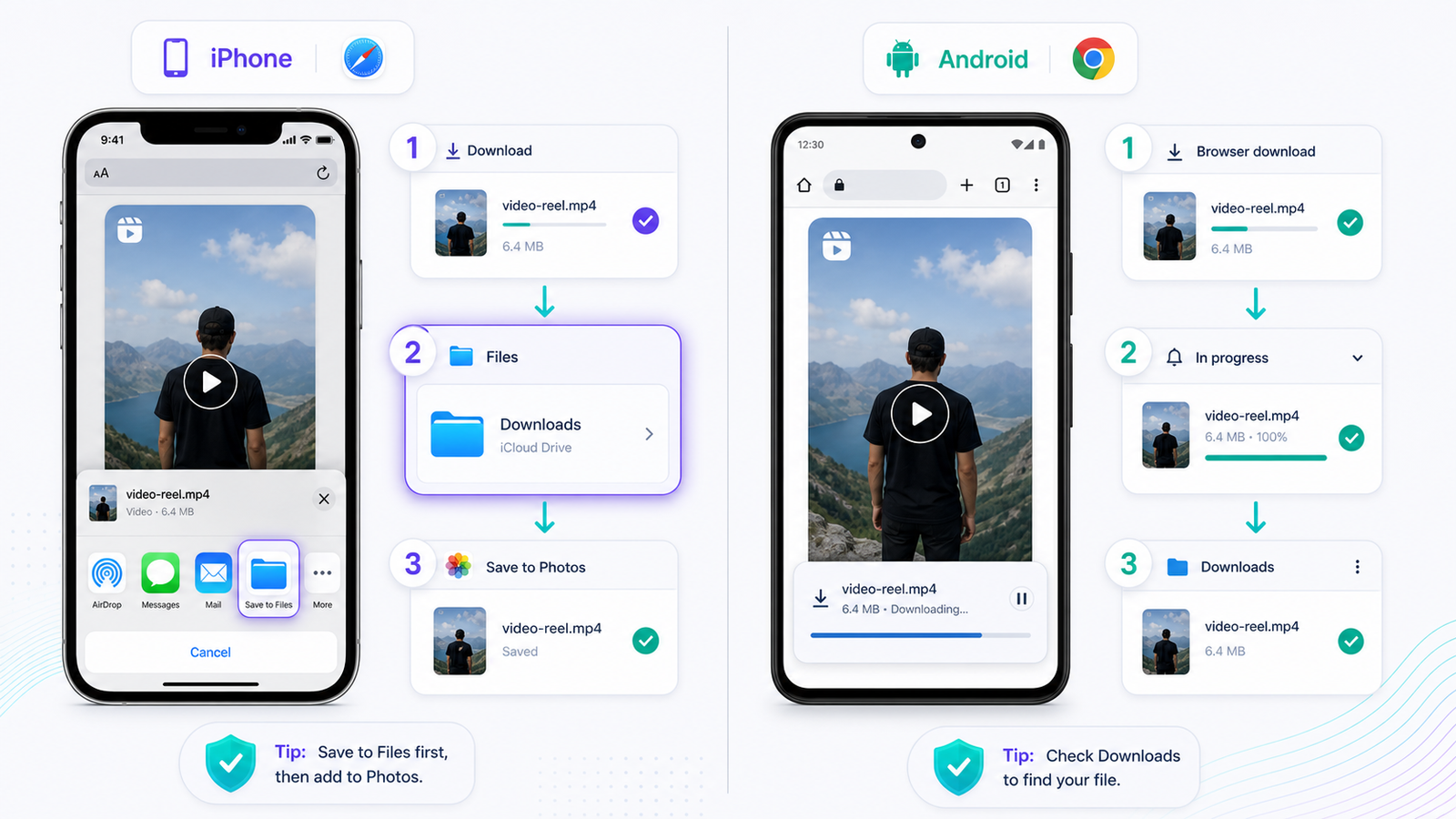
Instagram reel download troubleshooting steps iPhone Safari vs Android Chrome
FAQ
Can I download Instagram Reels from a private account?
Not with a third-party downloader, no. Private account content is only accessible to approved followers. You'd need to use Instagram's built-in bookmark feature to save it within the app.
Why does the downloaded Reel have no sound?
The background music is probably copyrighted and restricted from download. The creator's own audio (voice, ambient sounds) should still be there. The licensed music track is what gets stripped.
Is it safe to give my Instagram login to a downloader?
I wouldn't recommend it. You're handing your credentials to a third party, which risks account compromise. Good downloaders don't require your login to process public content.
Why does the download work sometimes but not others?
Instagram periodically changes how their servers handle external requests. A method that works on Monday might get blocked by Wednesday. Well-maintained downloaders adapt, but there's usually a gap of a few hours between when Instagram changes something and when the tool gets updated.
Can I download Instagram Stories too?
Stories are trickier because they require authentication (you have to be logged in to see them) and they disappear after 24 hours. Most downloaders focus on Reels and posts. If a Story has been saved to Highlights, some tools can grab it from there.