Why Can't I Save a TikTok Video? Fix the Missing "Save Video" Button
Published Updated By SaveFlow Editorial
You open a TikTok, tap Share, and expect to see Save Video. Instead, the option is missing. That does not always mean your phone is broken or the app needs to be reinstalled. TikTok lets creators control whether other people can download their posts, and the platform also applies privacy and age rules that can remove the button entirely.
The right fix depends on whether the limitation comes from the post, your account, or the app itself. Start by checking that the video is public and that you can open its link while signed out. Then work through the practical checks below. Do not use any method that claims to unlock private, friends-only, or restricted content.
Quick Answer
If Save Video is missing on only one post, the creator probably disabled downloads or the post has a restriction. If it is missing everywhere, update TikTok, restart the app, verify storage permissions, and test another network. For a genuinely public post, copying its link into a public-video downloader may provide the clean source file when the source makes one available.
Before You Start
Before changing several settings at once, determine whether the issue belongs to one piece of media or to every TikTok request. The first two clues in this case are the creator disabled downloads and the account or post is private. Testing a second known public item creates a useful control: if it works, focus on the original source, its URL, and its audience instead of reinstalling unrelated software.
Use one controlled workflow and record what changes. Begin with test another public video: Choose a well-known public post and open its Share menu. If Save Video appears there, your phone is working and the original creator or post settings are the limitation. Then change only one variable, such as the browser, connection, or copied link. This prevents a temporary success from being mistaken for a permanent fix and makes any support report far more useful.
Why the Save Video Button Disappears
The creator disabled downloads
TikTok gives creators a Downloads control. When it is off, viewers do not receive the native Save Video option. This is the most likely explanation when other videos still download normally.
The account or post is private
Private accounts, friends-only posts, age-restricted material, and content visible only after login are not normal public download targets. A shared URL does not make restricted media public.
The app or device is out of date
An outdated TikTok build, a stale cache, denied photo-storage access, or very low free space can prevent actions from appearing or completing correctly.
The feature varies by region or account
Platform experiments, local rules, account age, and supervised-account settings can change which sharing controls are available. Two people may see different menus on the same app version.
How to Troubleshoot the Missing Option
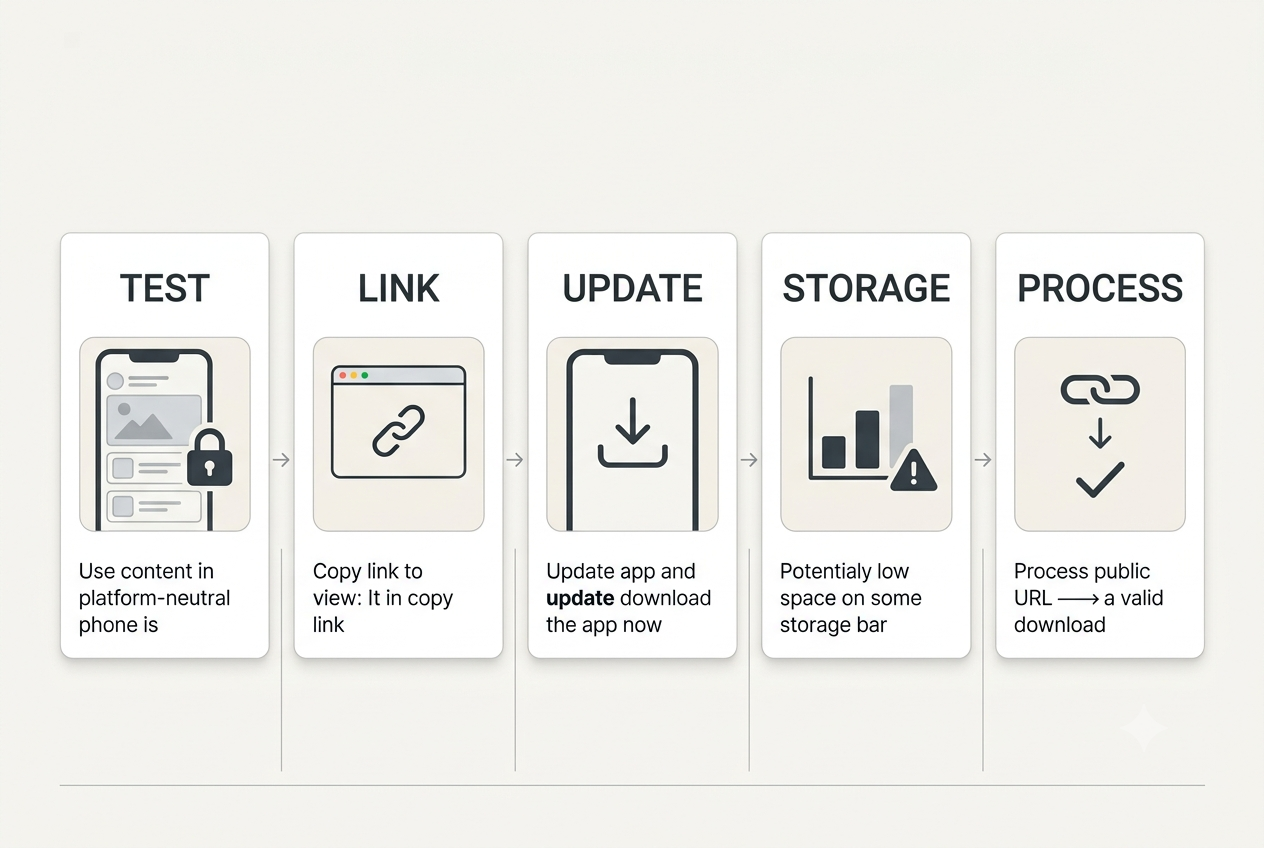
- Test another public video
Choose a well-known public post and open its Share menu. If Save Video appears there, your phone is working and the original creator or post settings are the limitation. - Copy and verify the link
Tap Share, choose Copy link, and open the URL in a private browser window. A public post should load without access to your personal TikTok session. - Update and restart TikTok
Install the latest app update, fully close TikTok, and reopen it. Restarting the phone also clears temporary processes that can leave the share sheet incomplete. - Check permissions and storage
Allow TikTok to save media to Photos or Storage, then confirm the device has enough free space. A nearly full phone can make a download fail without a useful message. - Use the public link responsibly
When the post is public, paste the verified URL into SaveFlow and process it. Choose the best available MP4 supplied by the source; never enter TikTok credentials into a third-party downloader.
Ways to Avoid the Same Problem
Save your own original before posting
Enable Save to device during editing so you retain a clean local copy of your work.
Keep the full URL
Copy the link from the Share menu instead of copying shortened or incomplete text from a message preview.
Use a normal browser
In-app browsers can break redirects. Safari, Chrome, Firefox, or Edge provides a more reliable test.
Respect the creator's choice
A missing button can be intentional. Ask the creator for the original when the post is not publicly downloadable.
Device-Specific Notes
iPhone and iPad
Use current Safari or another updated browser, check Photos permissions when a file must enter the library, and inspect the Files app when it does not appear in Photos. Keep the browser in the foreground until a large TikTok file finishes.
Android
Check the Downloads folder, browser download permission, free storage, and battery-saving rules. Some Android versions pause a background browser aggressively, so complete the request before switching apps.
Windows, macOS, and Chromebook
Use an updated mainstream browser and confirm the configured download location. Browser extensions, managed-network filters, and VPN software are easier to test in a private window or a clean browser profile.
How to Verify the Saved File
- Open the local file: Disconnect from the result page and play the saved item from local storage. This proves the download is complete rather than a temporary streamed preview.
- Check the important properties: Confirm duration, dimensions, file type, audio, and the final seconds. For this topic, also remember the practical advice to save your own original before posting.
- Compare with the source: Review the beginning, a motion-heavy middle section, and the ending. Missing slides, silent audio, abrupt endings, or a very small file can reveal an incomplete or lower-quality result.
- Respect the boundary: The first hard limit is private or restricted posts. Delete unintended copies and retain the media only when your ownership, permission, or lawful use is clear.
What This Method Cannot Fix
Private or restricted posts
No legitimate public downloader should bypass authentication, follower approval, age gates, paywalls, or access controls.
Deleted or unavailable media
Once the platform or creator removes the source, an old link may no longer resolve to a usable video.
Guaranteed watermark removal
A watermark-free file is possible only when TikTok exposes a clean source version.
Responsible use: Download only public content you own, have permission to use, or may lawfully save. Do not republish another creator's work without consent or required attribution.
Frequently Asked Questions
Does a missing Save Video button mean I am blocked?
Usually not. If you can still view the profile and post, the more likely cause is the creator's download setting or a restriction applied to that post.
Can I turn the button on for someone else's video?
No. Only the creator controls native downloads for their posts. You can troubleshoot your app, but you cannot change another account's privacy preference.
Why can my friend save the same video?
Account age, region, app version, experiments, and cached post state can differ. Both of you should update the app and compare the exact same public URL.
Final Takeaway
Treat the missing button as a diagnostic clue. Test another post, verify that the link is truly public, update the app, and check device permissions. If the creator has disabled downloads or the content is restricted, respect that limit. For eligible public media, SaveFlow can process the copied link without requiring an account.