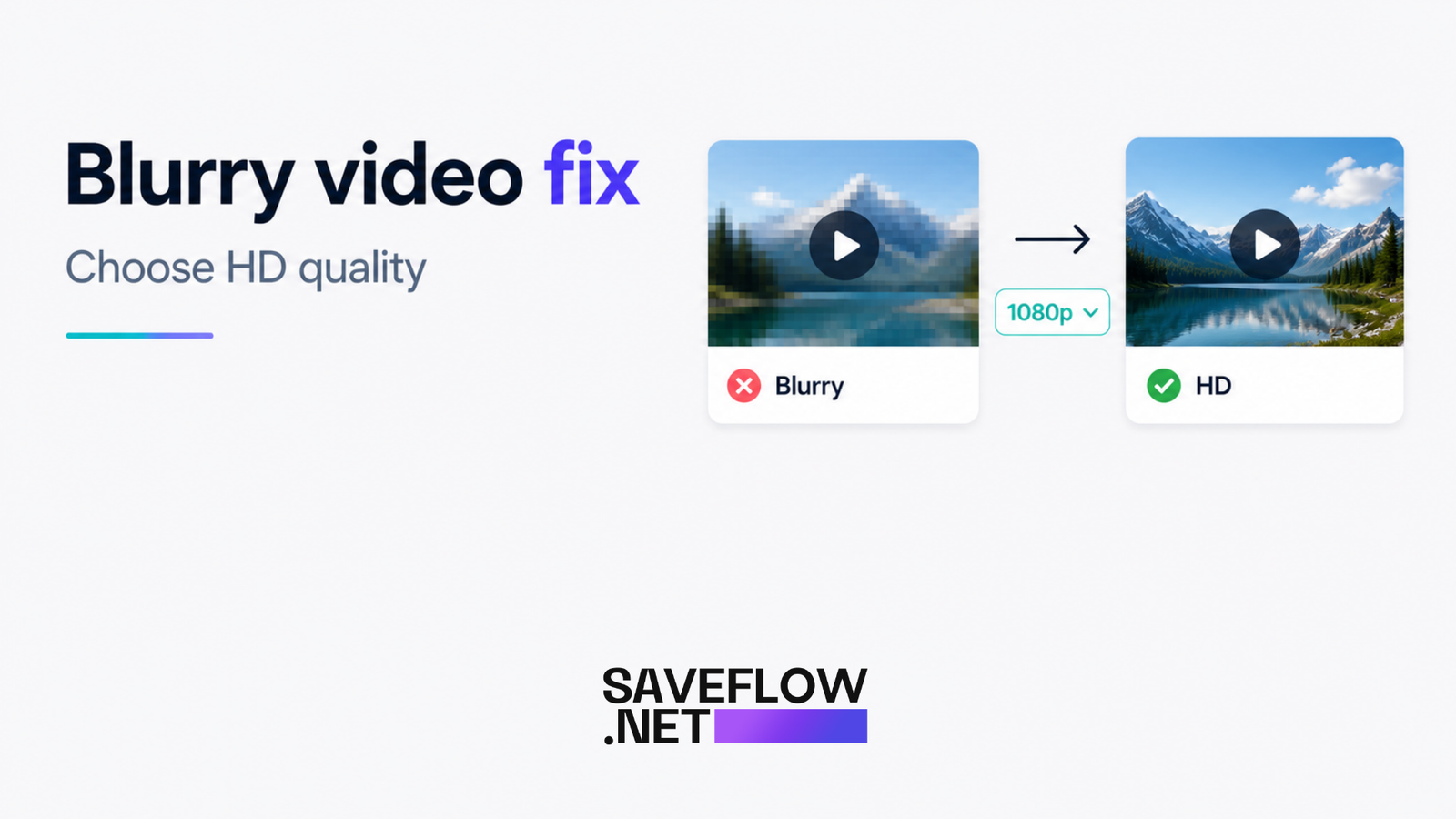
You downloaded a video that looked great on TikTok or Instagram, and now it looks like it was filmed through a window screen. This happens more often than you'd think, and the causes range from obvious (you picked the wrong quality setting) to less obvious (the platform already compressed it before you even hit download).
How Video Quality Actually Works
Two things determine how good a video looks: resolution and bitrate. Most people only think about resolution, but bitrate matters just as much.
Resolution is the number of pixels. A 1080p video is 1920 pixels wide and 1080 pixels tall. A 720p video is 1280 by 720. More pixels means more detail, up to a point.
Bitrate is how much data is used per second of video. Think of it like paint coverage. You can have a large canvas (high resolution) but if you spread the paint too thin (low bitrate), the result looks muddy. A 1080p video at a low bitrate can look worse than a 720p video at a high bitrate. This is why two 1080p videos can look completely different in quality.
Social media platforms compress both. When someone uploads a video to TikTok, Instagram, or Facebook, the platform re-encodes it at a lower bitrate to save bandwidth and storage. The quality you see on the platform is already degraded from the original. When you download, you're getting that already-compressed version.
Why the Platform Matters
Different platforms compress differently. TikTok is relatively generous with bitrate for short videos but compresses longer ones more aggressively. Instagram compresses everything quite a bit, especially Reels. Twitter/X compresses videos heavily. Facebook varies depending on whether the video is in a feed, a Reel, or uploaded to a Page.
The same video uploaded to TikTok and Instagram will look slightly different on each platform, and the downloads will reflect those differences. There's nothing a downloader can do about this. The tool grabs what the platform has. If the platform compressed the video to look like mush, the download will be mush too.
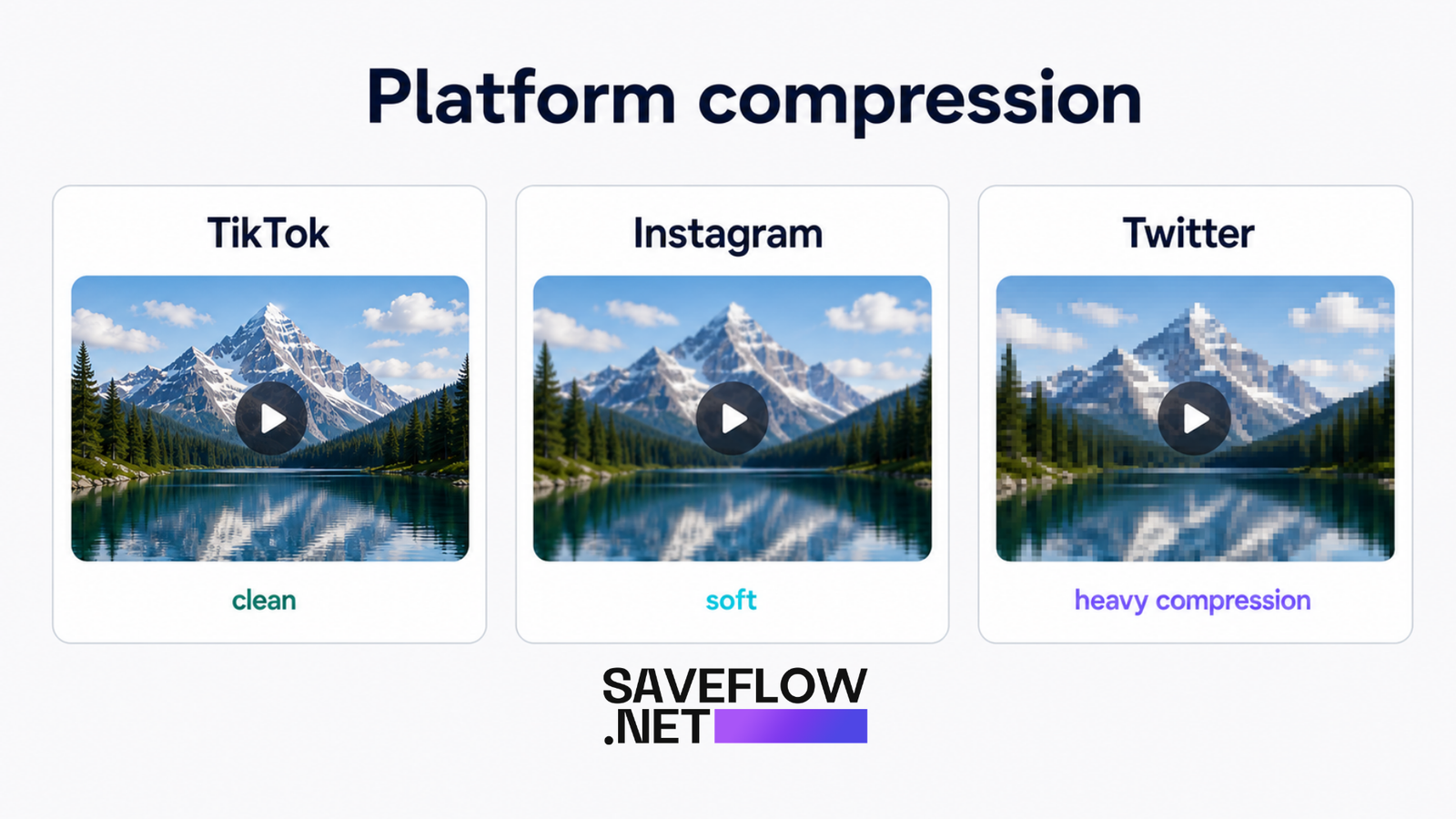
Video quality comparison TikTok vs Instagram vs Twitter download compression
How to Choose the Right Quality in SaveFlow
When you paste a link into SaveFlow, you'll see quality options like 360p, 480p, 720p, and 1080p. Always pick the highest available option unless you have a reason not to (like limited storage space or slow internet).
If you see only 720p as the maximum, that means the video was either uploaded at 720p or the platform doesn't serve a higher quality version. No downloader can give you 1080p if the source doesn't have it. Selecting 720p in this case gets you the best available quality.
If you're not sure which quality to pick and don't care about file size, just go with the highest option. You can always re-download at a lower quality later if the file is too large.
Why Some Videos Don't Have HD Available
The uploader determines the ceiling. If someone recorded a video on an older phone at 480p and uploaded it, the platform only has 480p to work with. No amount of settings changes on your end will conjure detail that doesn't exist.
Screen recordings are a common culprit. A lot of TikToks are screen recordings of other content, which often cap out at whatever the phone's screen recording settings are. If those were set to "normal" instead of "high quality," the recording might be 720p or lower even on a phone capable of 1080p.
Resolution Comparison With Real File Sizes
Here are typical file sizes for a 60-second video at different resolutions. These vary based on content (lots of motion means larger files) but give you a ballpark.
360p: around 3-5MB. Watchable on a phone screen but noticeably soft. Fine for previewing content but not great for anything you want to keep.
480p: around 5-10MB. Standard definition. Looks acceptable on a phone, mediocre on a tablet, bad on a laptop or TV.
720p: around 10-20MB. This is where videos start looking good on phone screens. For most social media content viewed on a phone, 720p is where diminishing returns kick in.
1080p: around 20-40MB. Full HD. Looks good on any screen. The file size jump from 720p is noticeable, and whether the quality difference is worth it depends on what you're doing with the video.
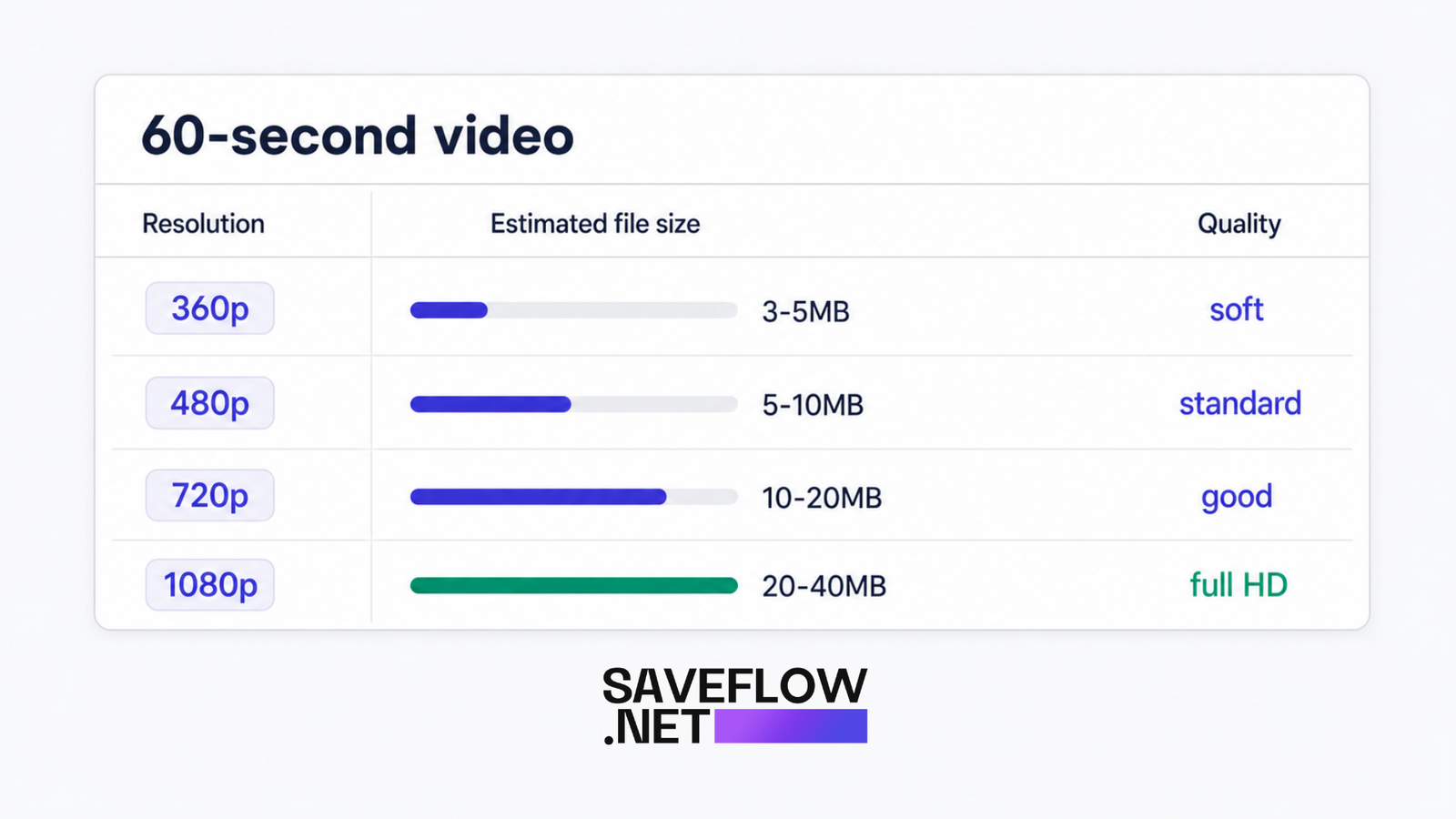
Video quality file size comparison chart 360p 480p 720p 1080p with real sizes
Does Wi-Fi vs. Mobile Data Affect Download Quality?
The download itself transfers the same file regardless of your connection type. A 1080p video file is the same file whether you download it on Wi-Fi or 4G. Your connection speed affects how long the download takes, not the quality of the file.
That said, some mobile carriers use data compression proxies that can interfere with downloads. This is rare in 2026, but if you're consistently getting lower quality than expected on mobile data and the same links give you better quality on Wi-Fi, your carrier might be compressing your traffic. Switching to Wi-Fi for downloads eliminates this variable.
Does the Device You Download On Affect Quality?
No. The file is the file. Downloading a 1080p video on a cheap Android phone produces the exact same file as downloading it on a new iPhone or a desktop computer. The video might look different when you play it back because of screen quality differences, but the actual file is identical.
What can differ is playback capability. Some very old devices might struggle to play high-resolution video smoothly, which can look like a quality issue when it's really a processing issue. But the file itself is unchanged.
Storage Space Considerations
HD videos eat storage quickly. If you download a lot of videos, the difference between 720p and 1080p adds up. Ten 60-second videos at 720p might take 150MB. The same ten videos at 1080p might take 300MB. Over time, that gap grows.
If storage is tight on your phone, 720p is a reasonable compromise. On a phone screen, the difference between 720p and 1080p is subtle. You'd need to hold the phone close and look carefully to notice. On a larger screen like a tablet or monitor, the difference becomes more apparent.
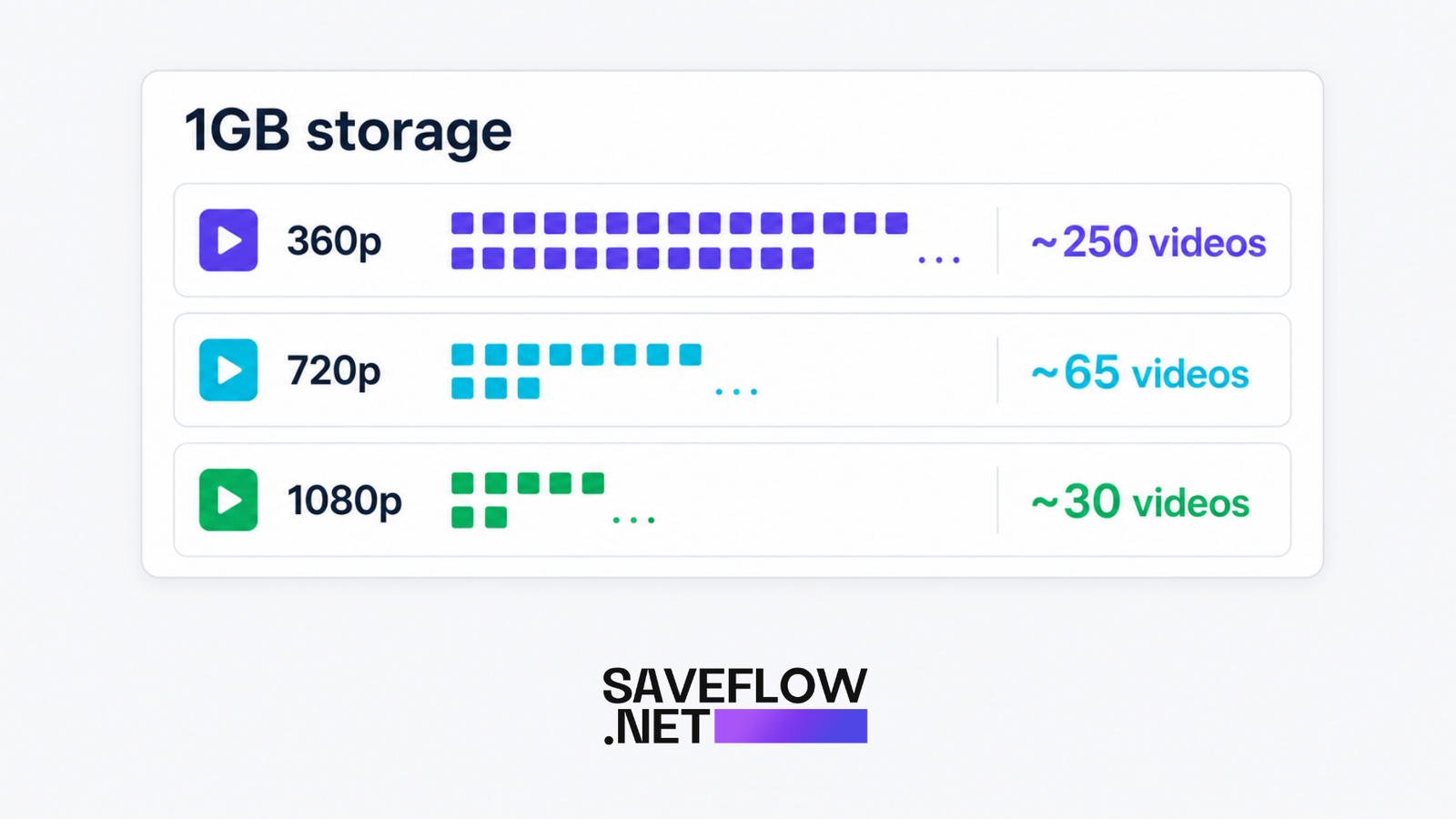
Video download storage space comparison how many videos per GB at each quality
FAQ
Can I improve the quality of a video after downloading it?
Not in any meaningful way. AI upscaling tools exist, but they're guessing at detail that isn't there. The result looks smoother but not truly sharper. If the source was 480p, no tool will make it look like real 1080p.
Why does the same video look better on TikTok than my downloaded copy?
TikTok's player might use adaptive bitrate streaming, showing you higher quality than what the static download file provides. Also, TikTok's player has built-in sharpening and color processing that isn't baked into the downloaded file. The raw file might genuinely look slightly different from the in-app playback.
Is 720p good enough for posting on another platform?
For most social media, yes. Instagram, TikTok, Facebook, and Twitter all re-compress whatever you upload anyway. Uploading a 1080p video to Instagram results in a video that looks similar to uploading 720p because Instagram's compression is aggressive. 720p is a reasonable starting point.
Why is the video I downloaded only 360p when I selected HD?
The "HD" option shows what the platform has available, not a guarantee of 1080p. If the original was uploaded in low resolution, the highest quality available might still be 360p or 480p. The downloader labels it based on what the source provides.
Does downloading in HD use more mobile data?
Yes. A 1080p file is two to three times larger than a 720p file, so it uses proportionally more data to download. If you're watching your data usage, download in lower quality or wait until you're on Wi-Fi for HD downloads.