Can You Download TikTok LIVE Videos? Replays, Clips, and Limitations
Published By SaveFlow Editorial
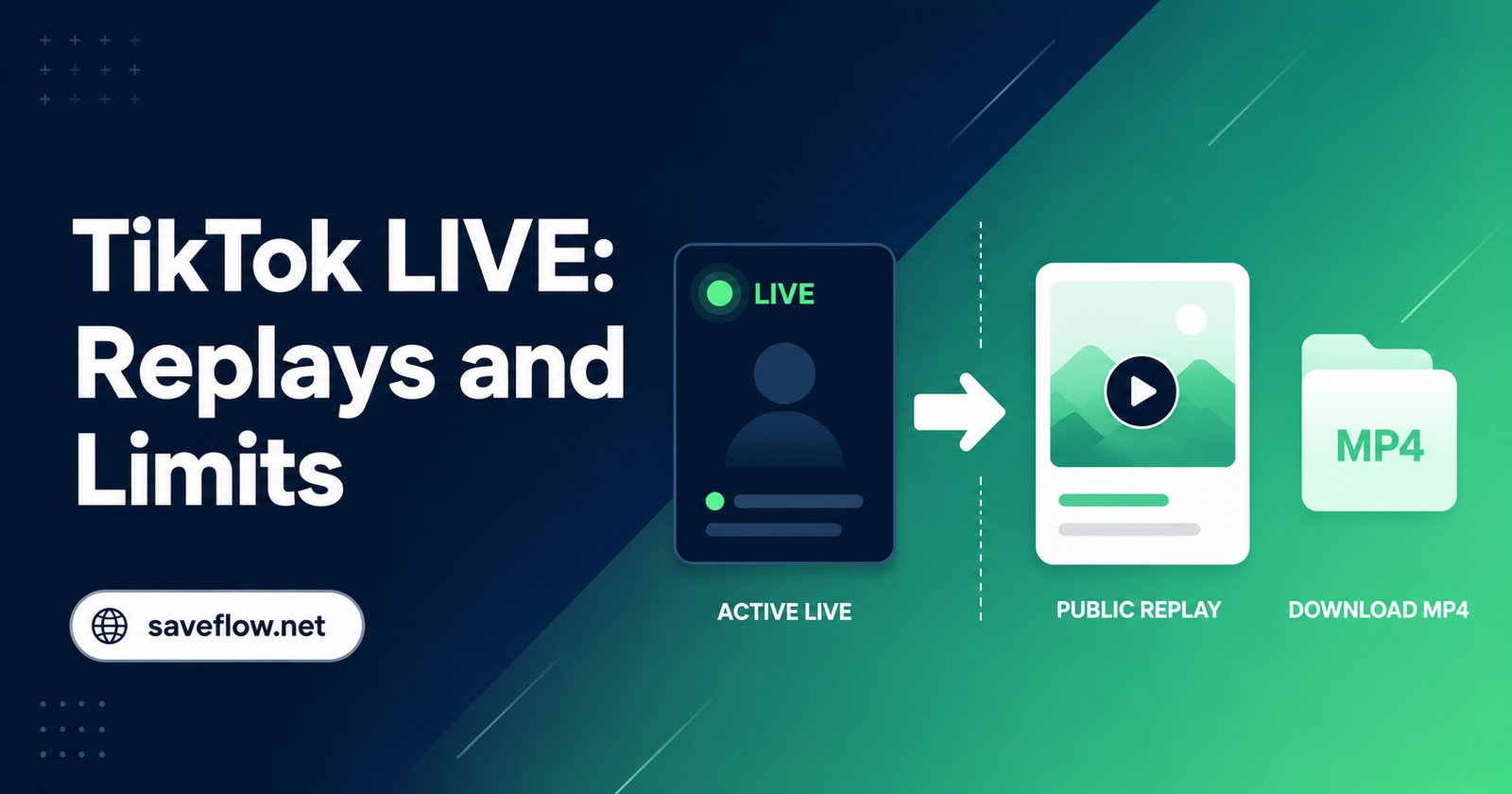
A TikTok LIVE session is delivered continuously rather than published as one finished video file. During the broadcast, segments can change, expire, or require an active viewer session. That is why a normal post downloader may reject a LIVE link.
The cleanest option belongs to the host: retain the original production recording or use TikTok's replay tools where available. Viewers should wait for an authorized public replay or clip instead of attempting to capture restricted live content.
Quick Answer
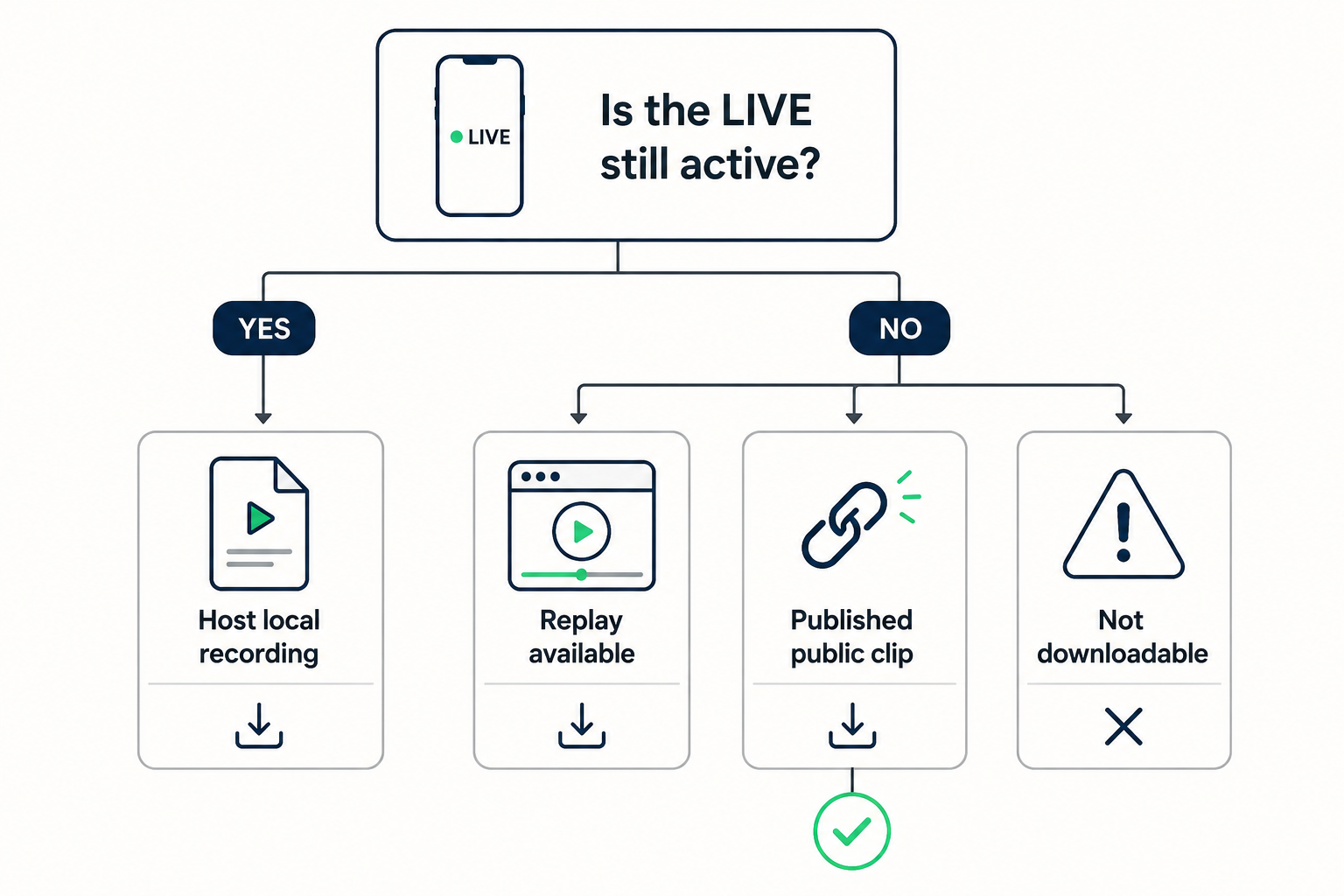
Hosts should save their own replay or original recording. Viewers can process a replay only after it has been published as an ordinary public video with a stable URL. An active LIVE, subscriber-only stream, deleted replay, or private broadcast is not a normal public download.
Before You Start
Before changing several settings at once, determine whether the issue belongs to one piece of media or to every TikTok request. The first two clues in this case are segmented delivery and replay settings. Testing a second known public item creates a useful control: if it works, focus on the original source, its URL, and its audience instead of reinstalling unrelated software.
Use one controlled workflow and record what changes. Begin with if you are the host, record locally: Keep a local camera or production recording whenever the LIVE matters. It offers the best quality and complete duration. Then change only one variable, such as the browser, connection, or copied link. This prevents a temporary success from being mistaken for a permanent fix and makes any support report far more useful.
Why LIVE Is Different From a Video Post
Segmented delivery
Live media arrives in short moving segments, not a permanent MP4 that exists from the first second.
Replay settings
The host decides whether a replay is retained, edited, clipped, or published for a wider audience.
Session requirements
Some broadcasts depend on login, age, region, subscription, or invitation access.
Fast expiration
Temporary stream URLs can stop working soon after the broadcast ends.
The Reliable Way to Save LIVE Content
- If you are the host, record locally
Keep a local camera or production recording whenever the LIVE matters. It offers the best quality and complete duration. - Check the host replay
After the stream, review TikTok's creator tools and export options before deleting or editing the replay. - Publish an authorized clip
Create a normal public post from the replay when you want viewers to share or retain a specific section. - Verify the public post URL
Open the published clip while signed out. It should behave like an ordinary video post. - Process only the final public clip
Paste that stable URL into SaveFlow and choose the best available MP4 supplied by the source.
A clean editorial infographic, 1200x800, designed for the middle of a SaveFlow tutorial. Use an off-white background with section accents in #102A43 and #35E38A, plus dark graphite text and thin neutral-gray dividers. Create a decision tree beginning with "Is the LIVE still active?" and branching to "Host local recording", "Replay available", "Published public clip", and "Not downloadable". Use green checks only on the final public-post path. Use simple platform-neutral phone, browser, link, media-file, warning, checkmark, and download symbols where appropriate. Keep every panel spacious and readable, with rounded 12px illustration corners, subtle depth, consistent stroke weight, and a polished product-documentation aesthetic. Include only the short labels explicitly requested in the composition. No real platform logos, no screenshots, no trademarked interface, no gradients behind body text, no watermark.
Quality and Archive Tips
Record clean audio
A local host recording avoids notification sounds and unstable viewer-side playback.
Split long replays
Short, titled clips are easier to verify, download, and reuse than one multi-hour file.
Keep timestamps
Note important moments during the stream so editing the replay is faster.
Archive before deleting
Confirm that the exported file plays fully before removing the replay from creator tools.
Device-Specific Notes
iPhone and iPad
Use current Safari or another updated browser, check Photos permissions when a file must enter the library, and inspect the Files app when it does not appear in Photos. Keep the browser in the foreground until a large TikTok file finishes.
Android
Check the Downloads folder, browser download permission, free storage, and battery-saving rules. Some Android versions pause a background browser aggressively, so complete the request before switching apps.
Windows, macOS, and Chromebook
Use an updated mainstream browser and confirm the configured download location. Browser extensions, managed-network filters, and VPN software are easier to test in a private window or a clean browser profile.
How to Verify the Saved File
- Open the local file: Disconnect from the result page and play the saved item from local storage. This proves the download is complete rather than a temporary streamed preview.
- Check the important properties: Confirm duration, dimensions, file type, audio, and the final seconds. For this topic, also remember the practical advice to record clean audio.
- Compare with the source: Review the beginning, a motion-heavy middle section, and the ending. Missing slides, silent audio, abrupt endings, or a very small file can reveal an incomplete or lower-quality result.
- Respect the boundary: The first hard limit is active private streams. Delete unintended copies and retain the media only when your ownership, permission, or lawful use is clear.
What Cannot Be Downloaded Responsibly
Active private streams
A viewer link does not grant permission to bypass the audience or capture access controls.
Expired segments
Once temporary delivery files disappear, a public downloader cannot reconstruct them.
Protected music or events
Rights restrictions can prevent saving or redistributing some broadcasts.
Responsible use: Record your own broadcasts or use a public replay with the host's permission. Never capture subscriber-only, private, age-restricted, or paid live content.
Frequently Asked Questions
Can SaveFlow download a LIVE while it is happening?
SaveFlow is designed for stable public media URLs, not active live sessions. Wait for an authorized public replay or clip.
Is a replay automatically public?
No. The host's settings determine whether it is retained and who can view it.
Why does a LIVE link work in TikTok but fail elsewhere?
Your TikTok session may supply access and temporary stream information that a public browser does not have.
Final Takeaway
Treat LIVE as an event first and a file second. Hosts should preserve a local original or creator replay, then publish authorized clips as standard public posts. Viewers should use only those stable public URLs and respect every audience restriction.