TikTok Link Not Working? How to Fix Invalid, Shortened, and Shared URLs
Published Updated By SaveFlow Editorial
TikTok links arrive in several forms. A normal video URL may contain a username and video ID, while a shared mobile link may use a short redirect such as vm.tiktok.com. Messages can also add punctuation, tracking parameters, or preview text. Any of these details can confuse a downloader if the submitted value is not the actual URL.
Before assuming the video is unsupported, clean and test the link. The goal is simple: produce one complete HTTPS address that opens the intended public post in a normal browser. The checks below solve most invalid-link errors without installing an app.
Quick Answer
Copy the link again from TikTok's Share menu, paste only the URL, and open it in Chrome, Safari, Firefox, or Edge. Let short links finish redirecting, then copy the final address from the browser bar. Remove trailing punctuation and try the clean public URL again.
Before You Start
Before changing several settings at once, determine whether the issue belongs to one piece of media or to every TikTok request. The first two clues in this case are the url was copied incompletely and a short link cannot finish redirecting. Testing a second known public item creates a useful control: if it works, focus on the original source, its URL, and its audience instead of reinstalling unrelated software.
Use one controlled workflow and record what changes. Begin with copy directly from tiktok: Open the post, tap Share, and choose Copy link. Avoid manually typing the address or copying it from a screenshot. Then change only one variable, such as the browser, connection, or copied link. This prevents a temporary success from being mistaken for a permanent fix and makes any support report far more useful.
Common Reasons TikTok Links Fail
The URL was copied incompletely
Chat apps may select only part of a link or break it across lines. Missing characters in the domain, path, or video ID make the destination impossible to identify.
A short link cannot finish redirecting
Mobile share links rely on redirects. Ad blockers, in-app browsers, DNS filters, and temporary network errors can interrupt that handoff before the full URL appears.
Extra text was submitted
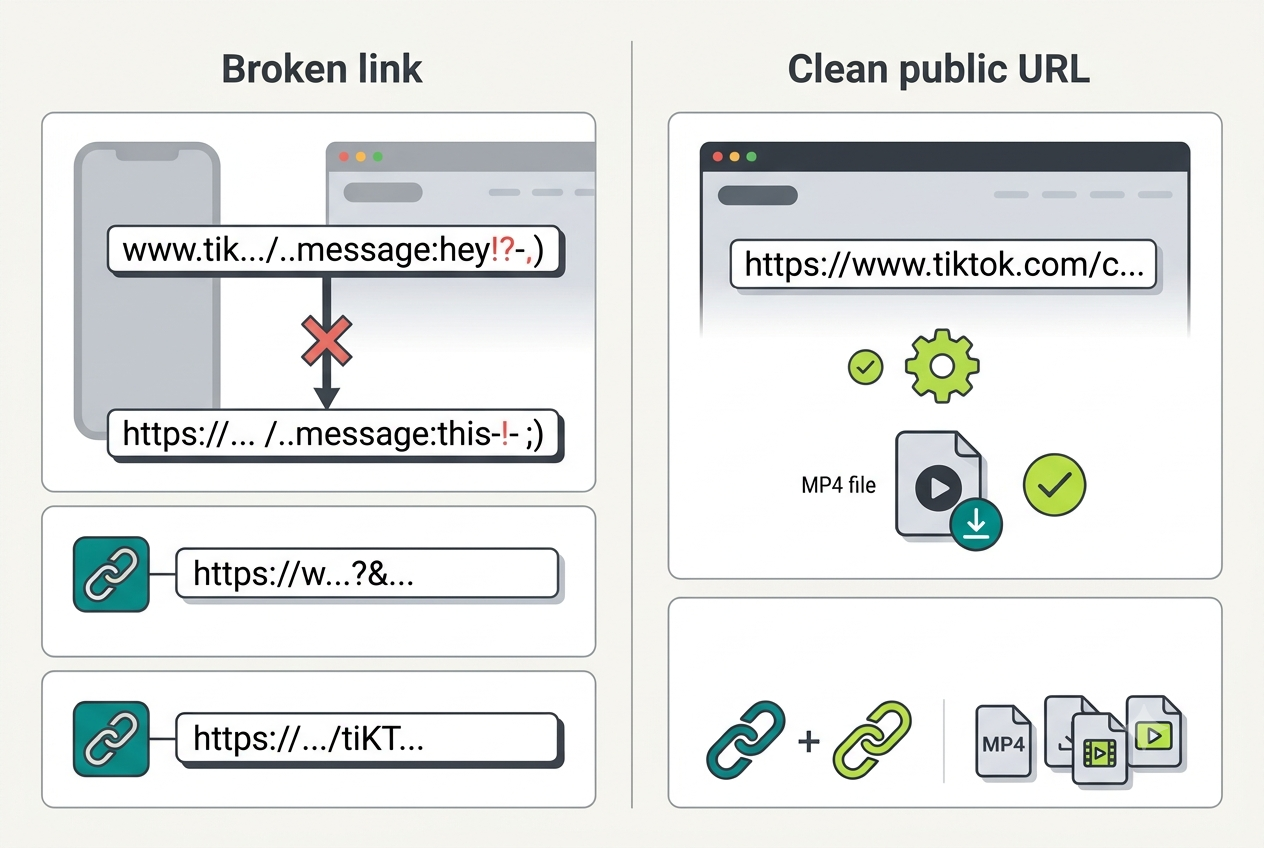
A copied message may include words, hashtags, emojis, or punctuation beside the URL. A downloader expects one address, not the entire share caption.
The post changed or disappeared
A creator can delete a video, make the account private, limit the audience, or change availability. An old link may remain in a chat even though the source is inaccessible.
How to Repair a TikTok URL
- Copy directly from TikTok
Open the post, tap Share, and choose Copy link. Avoid manually typing the address or copying it from a screenshot. - Paste the URL into a plain field
Use the browser address bar or a notes app to see exactly what was copied. Keep the part beginning with https:// and remove surrounding commentary. - Resolve shortened links
Open the short link in a standard browser and wait for the post page to load. Copy the expanded address shown after the redirect finishes. - Test public access
Open the final URL in a private window. If it requires an account, follower approval, or an age check, it is not a normal public download target. - Retry with the clean URL
Paste only the verified address into SaveFlow. If processing still fails, wait briefly and try once more because platform delivery endpoints can be temporarily unavailable.
Link-Cleaning Tips
Remove trailing punctuation
Periods, commas, closing brackets, and quotation marks often attach themselves to a link copied from prose.
Keep HTTPS
A valid TikTok share URL should use an HTTPS address. Do not trust lookalike domains or pages requesting a TikTok password.
Avoid repeated retries
Submitting the same broken value many times does not repair it. Recopy and verify the source instead.
Preserve the video ID
For full post URLs, the numeric video identifier is essential and should not be trimmed from the path.
Device-Specific Notes
iPhone and iPad
Use current Safari or another updated browser, check Photos permissions when a file must enter the library, and inspect the Files app when it does not appear in Photos. Keep the browser in the foreground until a large TikTok file finishes.
Android
Check the Downloads folder, browser download permission, free storage, and battery-saving rules. Some Android versions pause a background browser aggressively, so complete the request before switching apps.
Windows, macOS, and Chromebook
Use an updated mainstream browser and confirm the configured download location. Browser extensions, managed-network filters, and VPN software are easier to test in a private window or a clean browser profile.
How to Verify the Saved File
- Open the local file: Disconnect from the result page and play the saved item from local storage. This proves the download is complete rather than a temporary streamed preview.
- Check the important properties: Confirm duration, dimensions, file type, audio, and the final seconds. For this topic, also remember the practical advice to remove trailing punctuation.
- Compare with the source: Review the beginning, a motion-heavy middle section, and the ending. Missing slides, silent audio, abrupt endings, or a very small file can reveal an incomplete or lower-quality result.
- Respect the boundary: The first hard limit is access-controlled content. Delete unintended copies and retain the media only when your ownership, permission, or lawful use is clear.
When a Clean Link Still Will Not Work
Access-controlled content
Private, friends-only, members-only, age-restricted, and region-blocked media may open only inside an authorized session.
Removed posts
A downloader cannot reconstruct media that TikTok or the creator has deleted.
Temporary platform changes
TikTok can change redirects or delivery formats. A genuine public link may fail briefly until services adapt.
Responsible use: Never paste login cookies, passwords, session tokens, or private share data into a downloader. Process only public URLs and retain content only when you have permission.
Frequently Asked Questions
Are vm.tiktok.com links valid?
Yes, they are TikTok short links, but they must redirect successfully. Opening the link in a normal browser and copying the expanded destination is often more reliable.
Should I remove every query parameter?
Not automatically. First try the full browser-resolved URL. Remove obvious tracking parameters only if the clean canonical post path is still present.
Why does the link work for me but not in a private window?
Your normal browser may be using an authenticated TikTok session. If private browsing cannot view it, the post probably depends on account access or another restriction.
Final Takeaway
Most invalid TikTok URL errors are formatting or redirect problems. Recopy the address, separate it from share text, resolve short links, and verify public access. That clean-link workflow is faster and safer than installing random extensions or handing credentials to an unknown service.